← Back to Products

AlltraFocus logo AlltraFocus

Start the task you’ve been putting off.

You sit down to work, and the phone buzzes, the inbox fills, and the one task you meant to start slips another hour. AlltraFocus ends that. It is a calm focus timer that turns the task you’ve been avoiding into short, focused sessions with rests built in, so it is easier to begin and easier to keep going.

No account  ·  No ads  ·  Nothing leaves your device  ·  Works in your browser and on Android

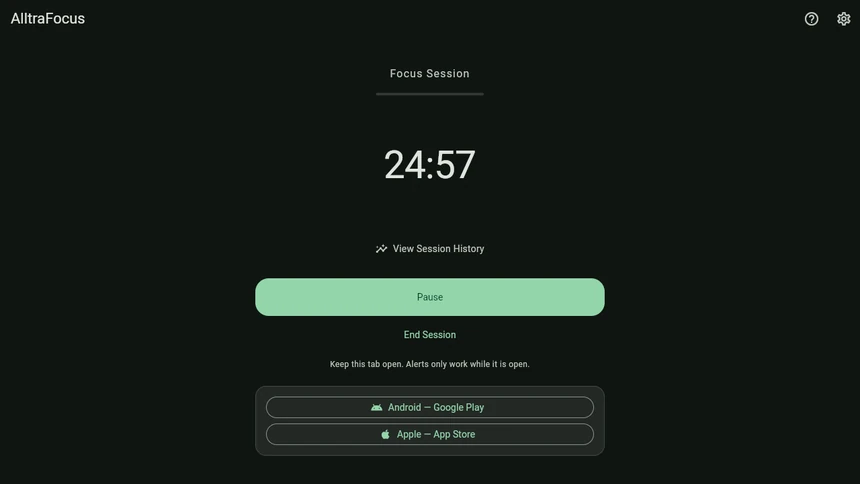
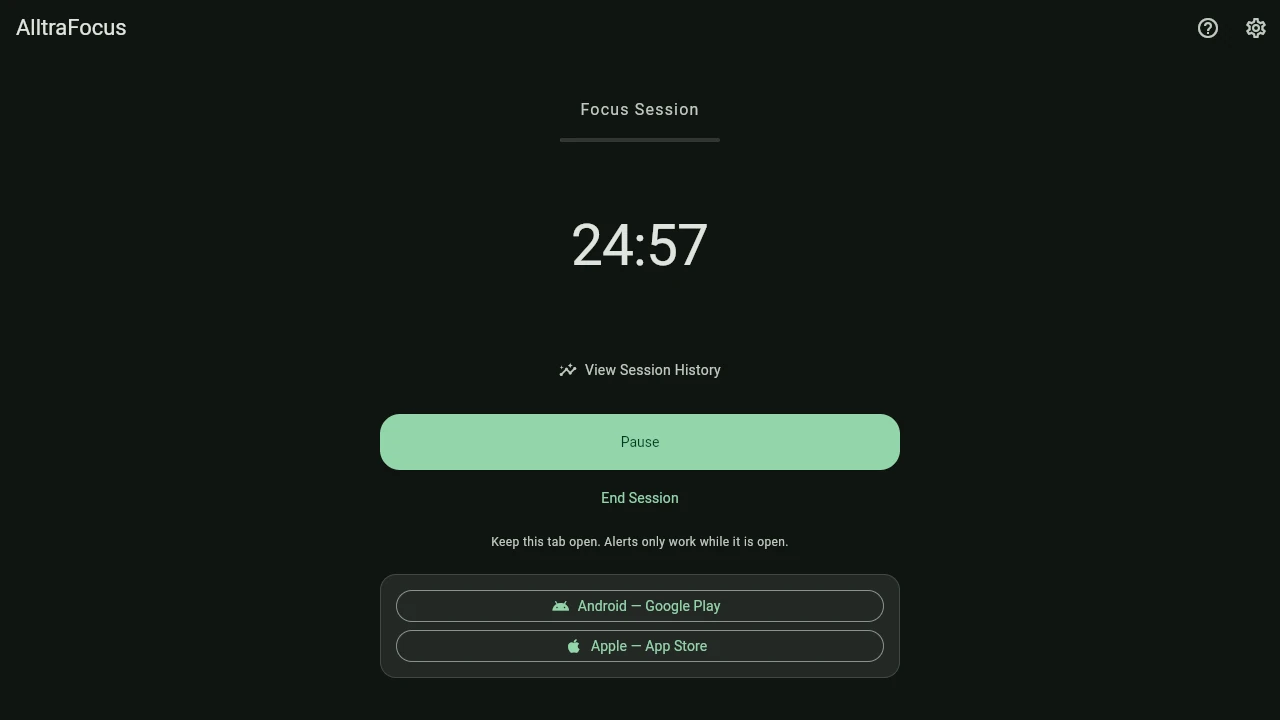
AlltraFocus running in a web browser, showing a focus session with 24 minutes and 57 seconds left

Click image to view full resolution

Who Uses AlltraFocus

Starting a task is often harder than doing it, so AlltraFocus asks for only 25 minutes of focused work followed by a rest. Here is how it helps six kinds of people.

Students & Learners

The chapter you keep reopening

You’ve opened your textbook three times tonight and read the same paragraph twice and you’re getting frustrated. With AlltraFocus, sit down, take a breath, and settle yourself. Start a 25-minute session and read until the chime sounds, then take a break. Before you know it, after four sessions you’ll have studied for 100 minutes and your frustration is gone.

Writers & Creators

The blank page

The page is empty, the coffee is ready, and you’re tidying your desktop instead of writing while the dread grows. With AlltraFocus, sit down and let go of the whole chapter. Start a 25-minute session and write until the chime sounds, badly if you need to, then take a break. Soon the first page is written and the blank screen no longer worries you.

Developers & Analysts

The afternoon that disappeared

You have a tricky bug or a spreadsheet that needs real thought, your phone keeps lighting up, and you can’t find a clear hour to think. With AlltraFocus, close the extra tabs and start a 25-minute focus session. On Android, Focus Quiet Mode silences your phone for the session and restores it exactly as it was when the session ends, while your alarms and the contacts you’ve allowed still get through. By the time the chime sounds, you’ve had a full stretch of uninterrupted thinking and the problem looks smaller.

Remote & Home Workers

Days with no edges

At home, work starts whenever and never really ends, the sofa is close by, and you’re never sure whether you’ve done enough. With AlltraFocus, give the day a rhythm: start a 25-minute session, work until the chime sounds, then take a proper break. By the end of the day, you’ve worked in clear blocks, and when the timer says rest, you can rest without the guilt.

Anyone Who Procrastinates

The one thing on your list

You know exactly which task you’re avoiding, whether it’s the email, the form or the phone call, and it has been on your list for days, looking bigger every time you put it off. With AlltraFocus, take a breath and agree to just 25 minutes. Start a session, work on that one task until the chime sounds, then take a break. Twenty-five minutes later, you’ve made real progress on the task you were dreading.

People Who Dislike Clutter

You just want a timer

You’ve tried timer apps with streaks, badges, reminders and upgrade pop-ups, and ended up managing the app instead of doing your work, which is its own kind of stress. With AlltraFocus, open the timer and start a 25-minute session. There is one big countdown and one clear button, and nothing else asks for your attention. At the end of the session, you’ve spent the whole time on your work, not on the app.

Up and Running in Three Steps

1

Open AlltraFocus

Open AlltraFocus in your web browser or install it on your Android phone. There is no account to create and nothing to set up, so your first session is one tap away.

2

Press ‘Start Focus’

Press ‘Start Focus’ and a 25-minute session begins right away. The countdown is the largest thing on the screen and nothing else competes for your attention, so you can turn straight to your work.

3

Rest When the Chime Sounds

A calm chime tells you the session is over, and your break starts on its own. After four sessions you get a longer break, and then the next session begins by itself, so you never have to restart anything.

Free, With One Optional Unlock

The timer works exactly the same whether you pay or not, and the free version has no time limit and no nagging. The optional unlock is a one-time thank-you that adds extras.

FeatureFreeUnlocked ($4.99 USD)
Your own focus, short-break and long-break lengths✓✓
Breaks and the next session start by themselves✓✓
Chime and notifications✓✓
Light and dark themes✓✓
Today’s session count✓✓
Seven-day history—✓
Five custom chimes—✓
Five extra colour palettes—✓
Calm background scenes, or your own photo—✓
Focus Quiet Mode: silences your Android phone during a sessionOne free sessionEvery session ✓
Time limitNoneNone

Free. Forever. With One Optional Thank-You.

$4.99 USD

Optional one-time unlock — everything else is free

  • Make it yours with five chimes, five colour palettes and calm background scenes, or your own photo
  • Look back over your last seven days of sessions
  • Use Focus Quiet Mode on every session to silence your Android phone while you work
  • Buy once and own it forever, with no subscription or renewal fees
  • Buy it inside the Android app through Google Play, and restore it easily on a new phone

Try the free timer first. On Android, Focus Quiet Mode is also free for one session, so you can feel the difference before you decide whether the unlock is worth it.

AndroidGet it on Google Play AppleApp Store — coming soon

One-time purchase  ·  No subscription  ·  Android 8.0 or newer

Web or Phone? Same Timer, Different Strengths

The web version is a free way to try AlltraFocus, or to use it at your computer, but a web page can only alert you while its tab stays open. The Android app can do more, because a phone app can send notifications with the screen off and switch on your phone’s Do Not Disturb setting.

Android appWeb version
Alerts with the screen off or the app closedYes: chime, vibration and a notificationOnly while the tab is open
Live countdown in a notificationYesThe tab title shows the time
Silence your phone while you focusYes (Focus Quiet Mode)No
Works with no internetAlwaysOnce it has loaded

Everything Included

Timing You Control

  • Choose focus sessions from 1 to 120 minutes, short breaks up to 30 minutes and long breaks up to 60 minutes
  • Choose how many sessions come before a long break, from 2 to 8
  • Pause and resume, end a session early, or skip a break
  • A session counts when it finishes, or when you stop it after at least half the time has passed
  • Tap ‘Restore Defaults’ to go back to the classic 25 / 5 / 15 timings

Clear, Gentle Alerts

  • A short chime sounds when each phase ends, with a different vibration for focus and for breaks (Android)
  • A notification shows a live countdown without using extra battery (Android)
  • In your browser, the countdown appears in the tab title, and a notification appears if you allow it
  • Breaks and the next session start by themselves, even with the screen off (Android)

Made for Everyone

  • Large, easy-to-hit controls and a countdown you can read across the room
  • Light, dark or matching your device, with soft colours chosen for contrast
  • Works with screen readers, large text and reduced motion
  • English, Spanish, French, German, Portuguese, Japanese and Korean

Private by Default

  • No account, no advertising, no analytics and no crash-reporting service
  • Your sessions and settings never leave your phone or your browser
  • Only the last seven days of history are ever kept
  • Tap ‘Erase all my data’ to clear everything at once

Focus Quiet Mode (Android)

  • Turns on your phone’s own Do Not Disturb for the length of a focus session, and only a focus session
  • Puts your phone back exactly as it was when the session ends, you pause, or a break begins
  • Shows a permanent strip on screen while it is on, with a one-tap ‘Turn off now’ button
  • Your own Do Not Disturb rules still apply, so alarms and the contacts you allow still get through

Frequently Asked Questions

What is a Pomodoro-style focus timer?
A Pomodoro-style timer is a simple way to work: you focus for a set block of time (25 minutes is the classic length), take a short break, and after a few blocks take a longer one. Working in short, protected blocks makes it easier to start, lowers the feeling of being overwhelmed and helps you rest before you burn out, and AlltraFocus runs that rhythm for you.
Is AlltraFocus really free?
Yes. The timer is free forever, with no time limit and no ads, in your browser and on Android. One optional unlock ($4.99 USD, paid once) adds extras such as custom sounds, colour palettes, backgrounds, a seven-day history and Focus Quiet Mode, and the timer works exactly the same either way.
Do I need an account?
No. There is nothing to sign up for, no email address to give and no password to remember, so you can open AlltraFocus and press ‘Start Focus’.
How does the web version work?
Click ‘Try it now on the web’ and the timer opens in a new tab. It keeps accurate time even when the tab is in the background, and it tells you when a phase ends with a chime, a notification (if you allow it) and a change in the tab title. Because it is a web page, the tab has to stay open for those alerts to work, but if you close it and open it again later, it shows exactly where you left off.
Where do my sessions and settings go?
Nowhere. On Android they stay on your phone, and in the web version they are kept in your own browser on this device only, with no cookies, so clearing your browser’s site data erases them. Like any website, our server keeps ordinary access logs (address, time and file requested) when the page loads, but it never sees your timer or your sessions. See our Privacy Policy.
Is there an iPhone version?
It is on the way. The Android and Apple buttons at the top of this page show where each version is available, and the Apple button will link to the App Store when the iPhone version is ready. Apple does not let apps switch on Do Not Disturb, so Focus Quiet Mode will be Android-only.
Which Android versions are supported?
AlltraFocus runs on Android 8.0 and newer, on phones and tablets, upright or sideways.
Will Focus Quiet Mode leave my phone silent by mistake?
No, it is built so that cannot happen. Focus Quiet Mode only applies to a focus session, never to a break, and it puts your phone back the moment you pause, a break starts or the session ends. It also shows a permanent on-screen reminder with a one-tap ‘Turn off now’ button, and if the app is ever closed unexpectedly, it restores your phone the next time it opens. Calls from favourite contacts and alarms still ring if your own Do Not Disturb settings allow them, and you can try Focus Quiet Mode free for one session before deciding.
Why are there no streaks, badges or reminders to come back?
Because a focus timer should lower your stress, not add to it. We deliberately left out game mechanics and guilt, so the app stays quiet unless you start it.
What happens if I buy the unlock and change phones?
Your purchase belongs to your Google account. Open AlltraFocus on the new phone and choose ‘Restore Purchase’ and your extras come back, and it is safe to try more than once.
How do I send feedback or ask for a new feature?
We would love to hear from you. Please contact us.

Want the full details? Read the AlltraFocus User Guide.

The task you’ve been putting off can start in the next minute.

It takes one tap, with no account to create and nothing to pay.

Pomodoro Technique® is a registered trademark of Francesco Cirillo. AlltraFocus is not affiliated with or endorsed by him.